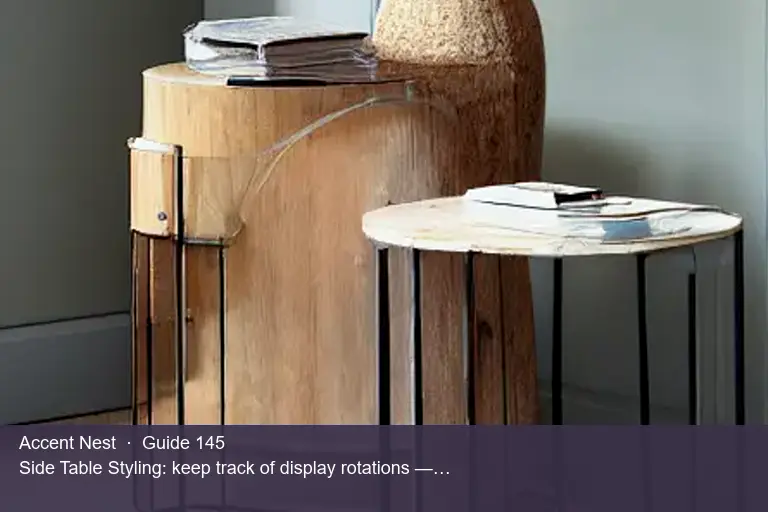
Side Table Styling: keep track of display rotations — measurement guide for a shared room; setup in small spaces
Side tables are a staple in many shared rooms, providing a functional space for storing and displaying items. However, a side table's display rotation can be a challenge, especially for those in smaller spaces. In this guide, we'll explore how to keep track of display rotations for side tables, using measurement guides and a practical setup in small spaces.
Step 1: Choosing the Right Size and Style The first step is to select the appropriate size and style for your side table. Consider the number of items you plan to display and the space available. For small spaces, choose a smaller size or a more compact design that can fit more items in a smaller space.
Step 2: Measuring the Display Rotation Measure the display rotation in inches and centimeters. For a small space, you may not be able to measure accurately with a ruler, so use a measuring tape or a similar tool to ensure accuracy. Measure from one side of the table to the opposite side, counting down from zero to the display.
Step 3: Setting up the Display Rotation Once you've measured the display rotation, set it up in your small space. Position the side table in the center of the space, away from the walls. Position the display at the opposite side, facing the opposite wall. This will ensure that the display is always in the center of the space.
Step 4: Adjusting as needed As you move around the space, adjust the display rotation as needed. If you find that the display is not in the center of the space, move the side table to the center or adjust the display rotation to the opposite side.
Step 5: Maintaining the Display Rotation To maintain the display rotation, periodically check and adjust it as needed. This will ensure that the display is always in the center of the space, even as you move around the space.
Step 6: Finalizing the Setup Once the display rotation is set up, it's time to finish the setup. Position the display at the opposite side, facing the opposite wall.
By following these steps, you can keep track of display rotations for side tables in small spaces.